
WordPress Contact Form Builder
Ray's Contact Form
What Is Ray’s Contact Form?
Overview
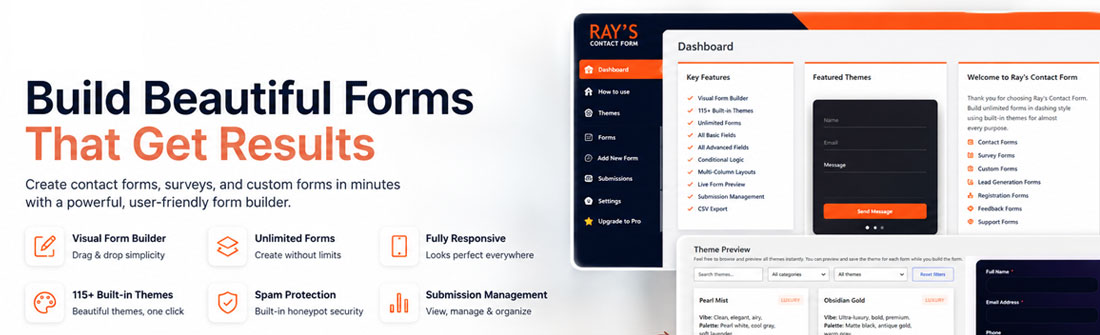
Ray’s Contact Form is a modern, flexible form builder for WordPress that lets you create beautiful, high-performing forms without writing code.
Built with a powerful schema-driven engine and an intuitive visual builder, it allows you to design forms, manage submissions, and customize user experiences—all from a clean, unified interface.
Whether you’re collecting leads, feedback, or customer inquiries, Ray’s Contact Form gives you full control over both functionality and design.
Key Features
Ray’s Contact Form is designed to balance simplicity with powerful capabilities.
- Visual Form Builder. Create and customize forms using an intuitive drag-and-configure interface.
- Live Preview. See changes in real time as you build your form, including theme styling.
- Flexible Field Types. Choose from a wide range of basic and advanced fields to match your needs.
- Conditional Logic. Show or hide fields dynamically based on user input to create smarter forms.
- 115+ Built-in Themes. Apply professionally designed themes instantly, with no CSS required.
- Submission Management. View, filter, and export form submissions directly from your dashboard.
- Email Notifications. Automatically send emails to admins or users when forms are submitted.
- Spam Protection. Protect your forms with built-in safeguards like honeypot and rate limiting.
- Shortcode & Embedding. Easily embed forms anywhere on your site using shortcodes.
Free vs Pro Comparison
Ray’s Contact Form offers a powerful free version with optional Pro upgrades for advanced features.
Free Version Includes:
- Form builder with core field types
- Live preview and theme selection
- 5 Free Themes
- Submission storage and basic management
- Email notifications
- Conditional logic (basic)
- Spam protection
- Shortcode embedding
Pro Version Adds:
- Advanced field types (Rating, NPS, Range, etc.)
- 115+ Themes and design options
- Webhook integrations
- Priority support
- One year of future premium features and updates
Ray's
Contact Form
Documentation
- Getting Started
- Creating Your First Form
- Understanding the Form Builder Interface
- Creating Multi-Column Layouts
- Using Conditional Logic
- Email Notifications Setup
- Managing & Viewing Submissions
- Exporting Submissions to CSV
- Form Settings – Complete Guide
- Upgrade to Pro
- Basic Fields – Complete Guide
- Advanced Fields – Complete Guide
- Field Settings – Complete Guide
- Spam Protection & Security
- Shortcodes & Embedding Forms